Nothing goes out until you say yes.
Your employees read from your apps without asking. Every write, like an email, a new issue or a changed deal, waits in your Inbox for your OK.
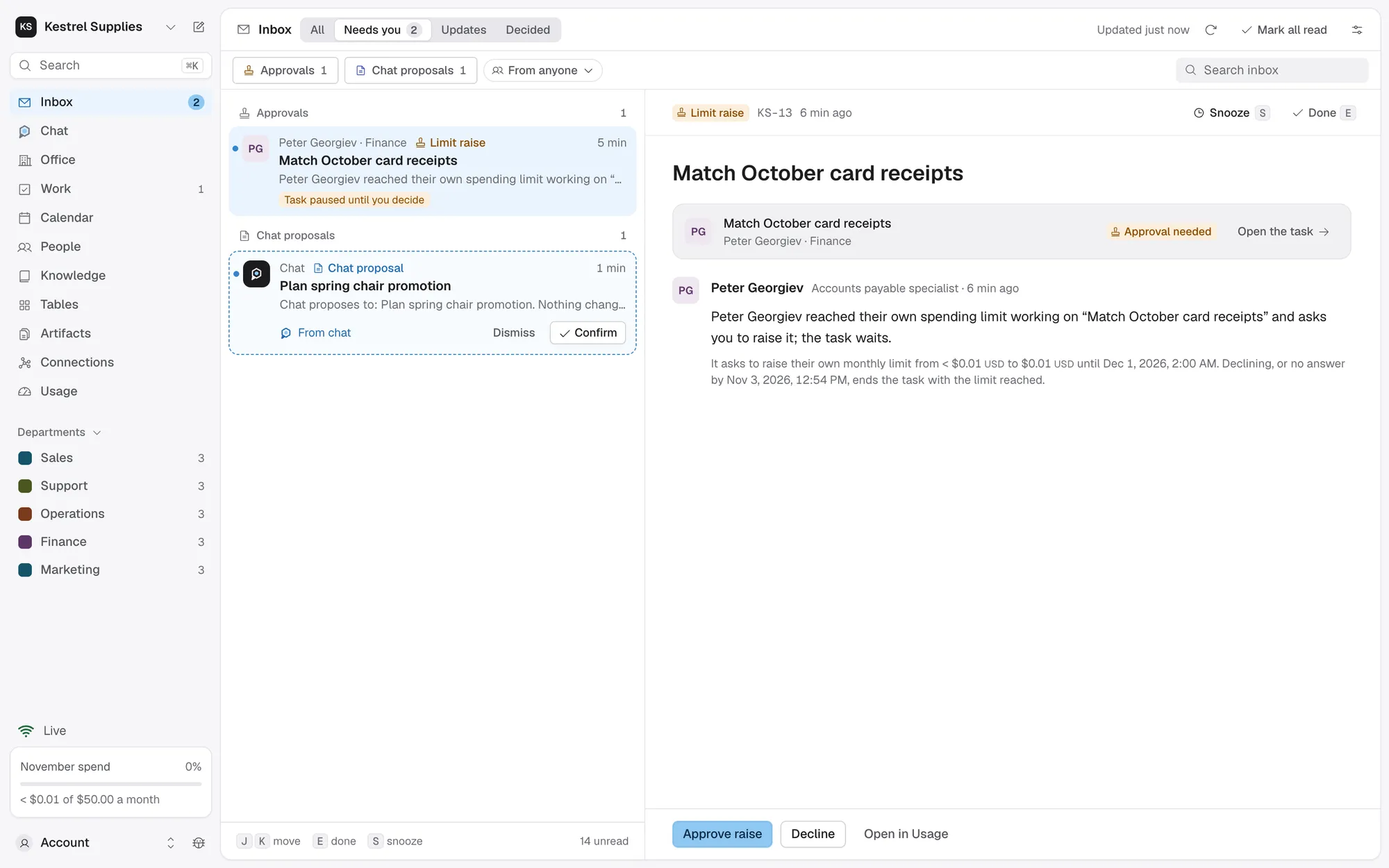
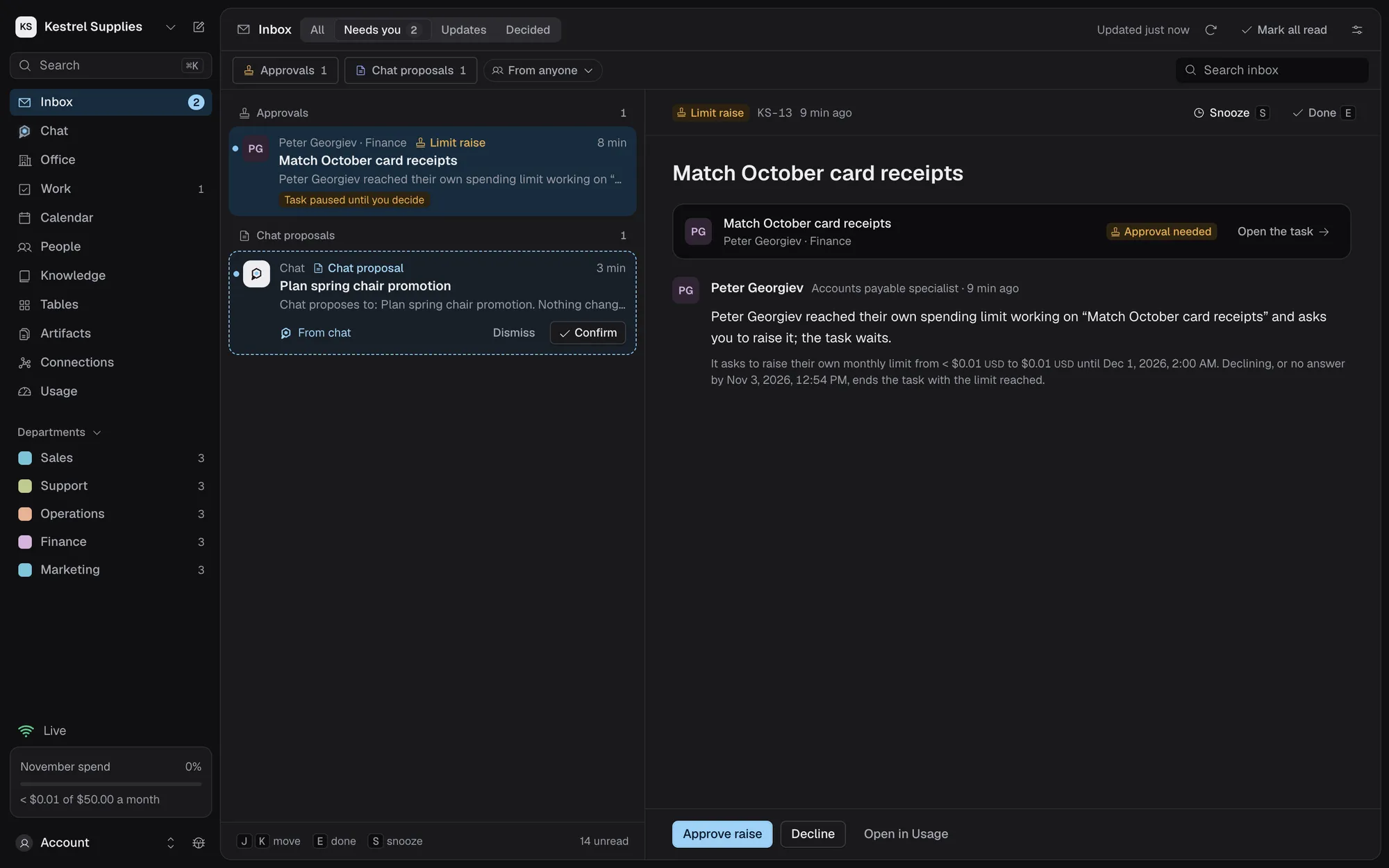
You approve the exact action, not a vague intent.
Reads run without asking. Sending, creating, updating or deleting in an app, or submitting a form on a website, waits for you.
- An action the app doesn’t mark as a read counts as a write
- While it waits, the task waits and nothing is charged
- Approvals are on every plan
An approved request is sent once by the task that asked, exactly as shown on the card.
- A changed request asks you again, with See what changed
- New outside content read after you approved cancels the approval
- A send with an unknown outcome is never repeated
For a write you’d approve every time, let named employees repeat one action to one destination without asking.
- Fixed values, a total and hourly cap, and a spend cap
- A first sample you confirm before it goes on
- Expires in 1, 7, 30 or 90 days; revoke it any time
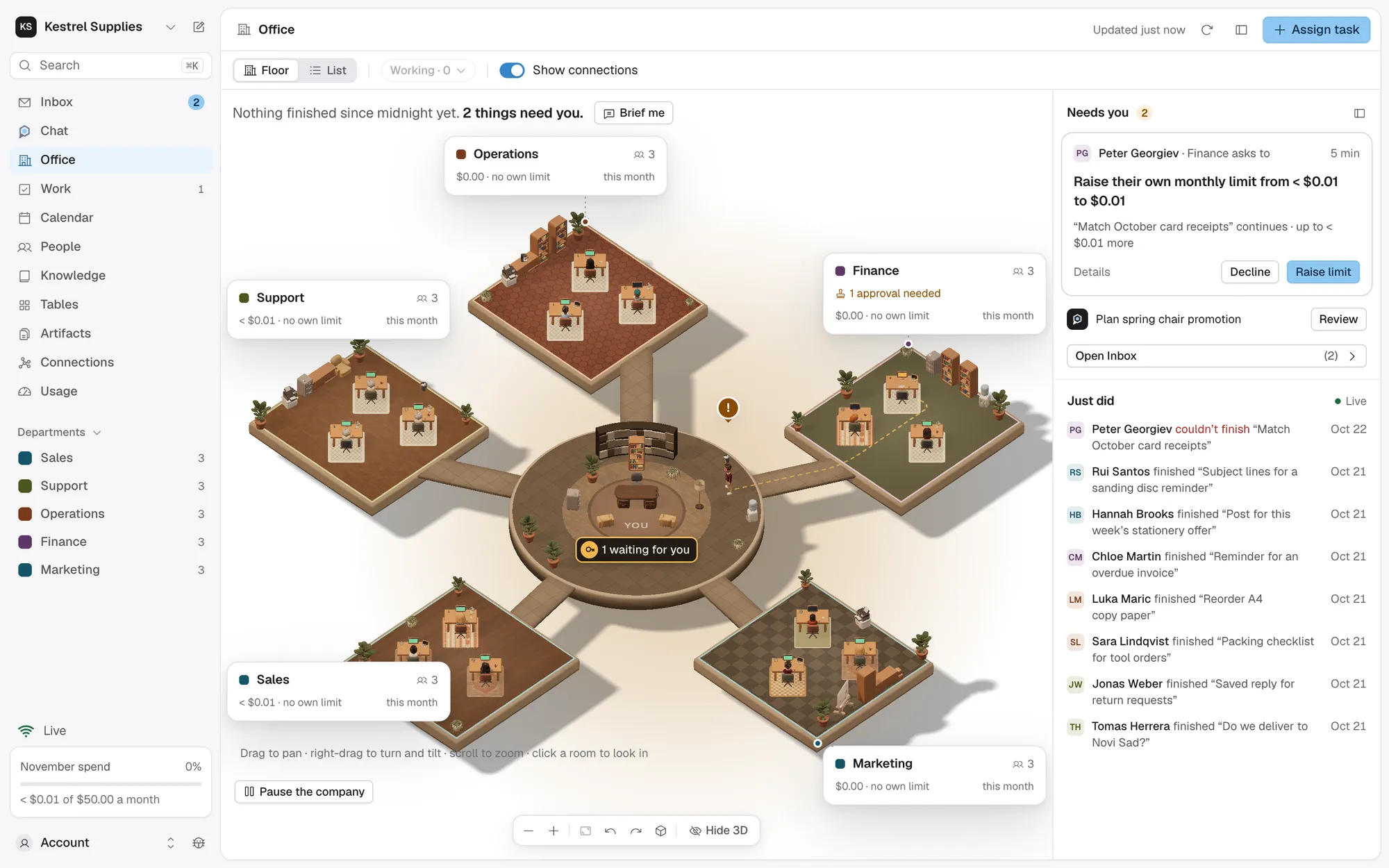
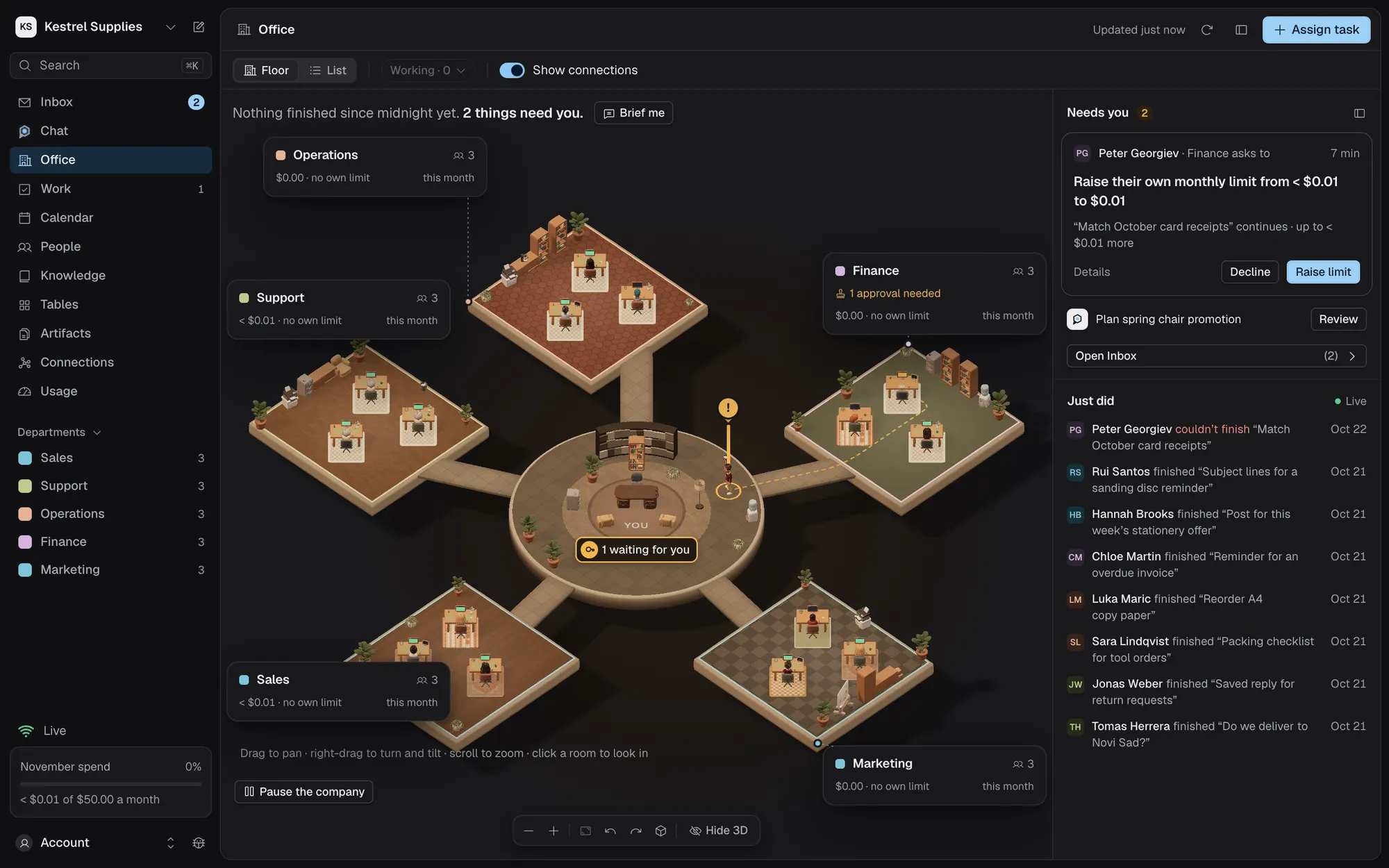
The employee comes to your door.
A waiting request shows in the Office’s Needs you column, and the employee walks to your door on the floor. Open it there, from their inspector, or in Inbox › Needs you.
- One plain sentence on top, such as “Create Linear issue: Launch checklist”
- The destination, the exact content and Royak’s price for the call
- A warning when the task read content you didn’t write
- Approve or decline from the keyboard with A and X
- A request expires after 24 hours and sends nothing
Every decision is kept, and can’t be edited.
Each decision records who made it and when. A task’s timeline shows its approvals beside the steps that led to them.
- Outcomes such as Sent, Failed, Declined, Expired or Outcome unknown
- Your reason for a decline goes to the employee
- Every decision is listed in Settings › Activity
- Decisions a standing approval made are recorded as its own
Questions about approvals.
Who can approve requests?
The owner, and members with the Approver role. A finance admin decides limit raises only, and a viewer sees the Inbox but decides nothing.
Can I change a request before approving it?
Decline it with a reason that says what to change. The employee reads it and can ask again with a new version, which you approve on its own.
What if I don’t answer?
A request expires after 24 hours. Nothing is sent, and the task goes on without it; the employee can ask again.
Can the same action be sent twice?
No. An approval lets the task send it once. When the app never confirms a send, Royak marks it for you to check and never sends it again.
Does a standing approval give an employee access to an app?
No. Access comes only from the connection’s Who can use it list. A standing approval only skips the question for writes they can already make.
Let your employees work, and keep the final say.
Approvals are on every plan, including Free.