AI spending that can’t go over.
Royak reserves the most each AI call can cost before it is made. If it wouldn’t fit, the call isn’t made and the task waits.
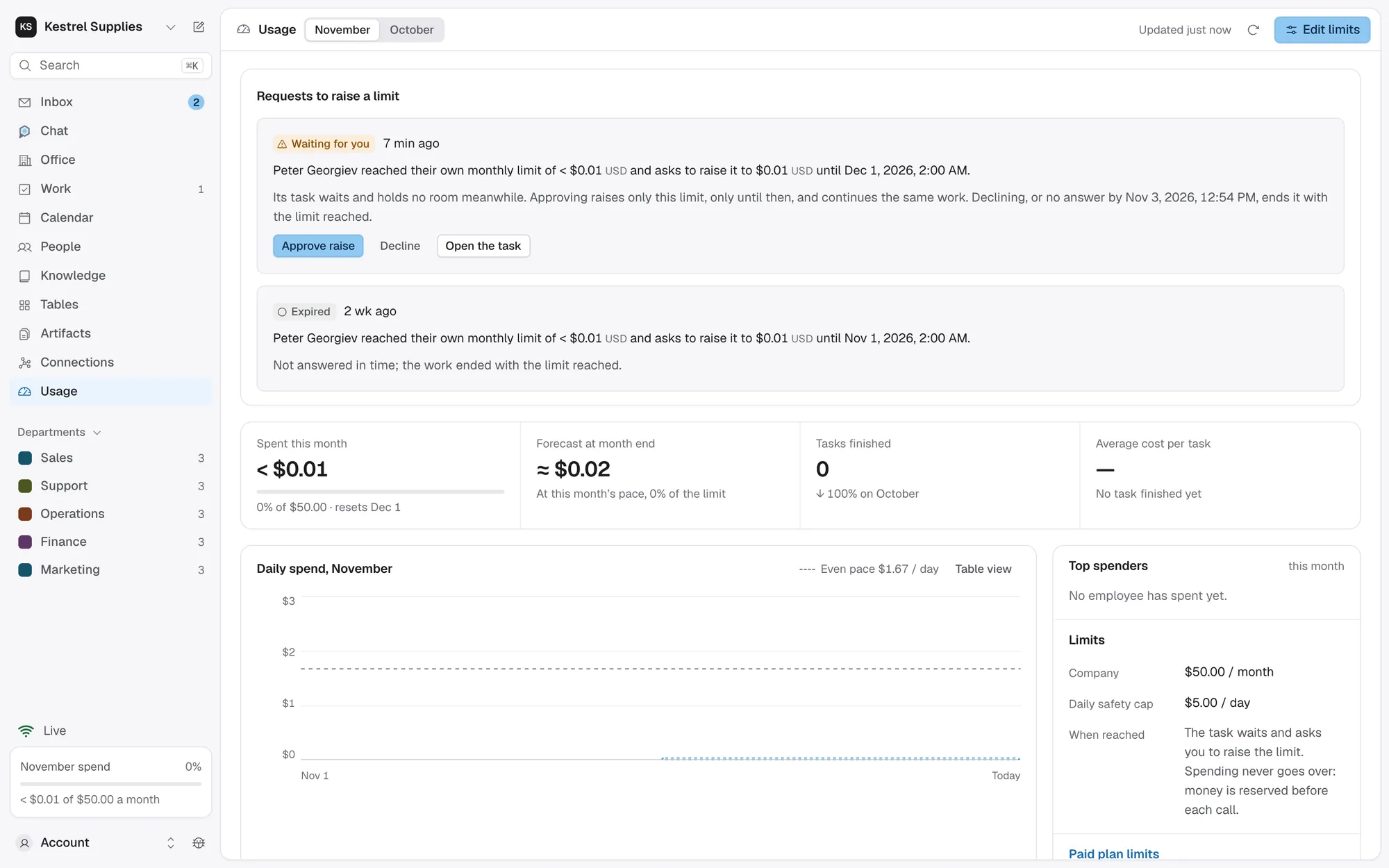
Limits that hold, not alerts after the fact.
Before each AI call or paid action, such as web browsing, the most it can cost is held against every limit that applies.
- After the call, it settles to the real cost
- An unknown outcome stays reserved, never freed on a guess
- Every limit applies at once; the tightest decides
With your own key on Paid, set a monthly limit and an optional daily cap for the company, each department and each employee.
- Months follow UTC; daily caps reset at midnight UTC
- Narrow the models and paid actions each may use
- A goal, plan or table batch also gets its own budget
A task that reaches a money limit waits and asks you to raise exactly that limit. On credits, it waits for them to renew.
- A Limit raise in your Inbox, with the amount it needs
- Approve raise and the same work continues
- Your saved limit itself never changes
Your plan’s credits are the limit.
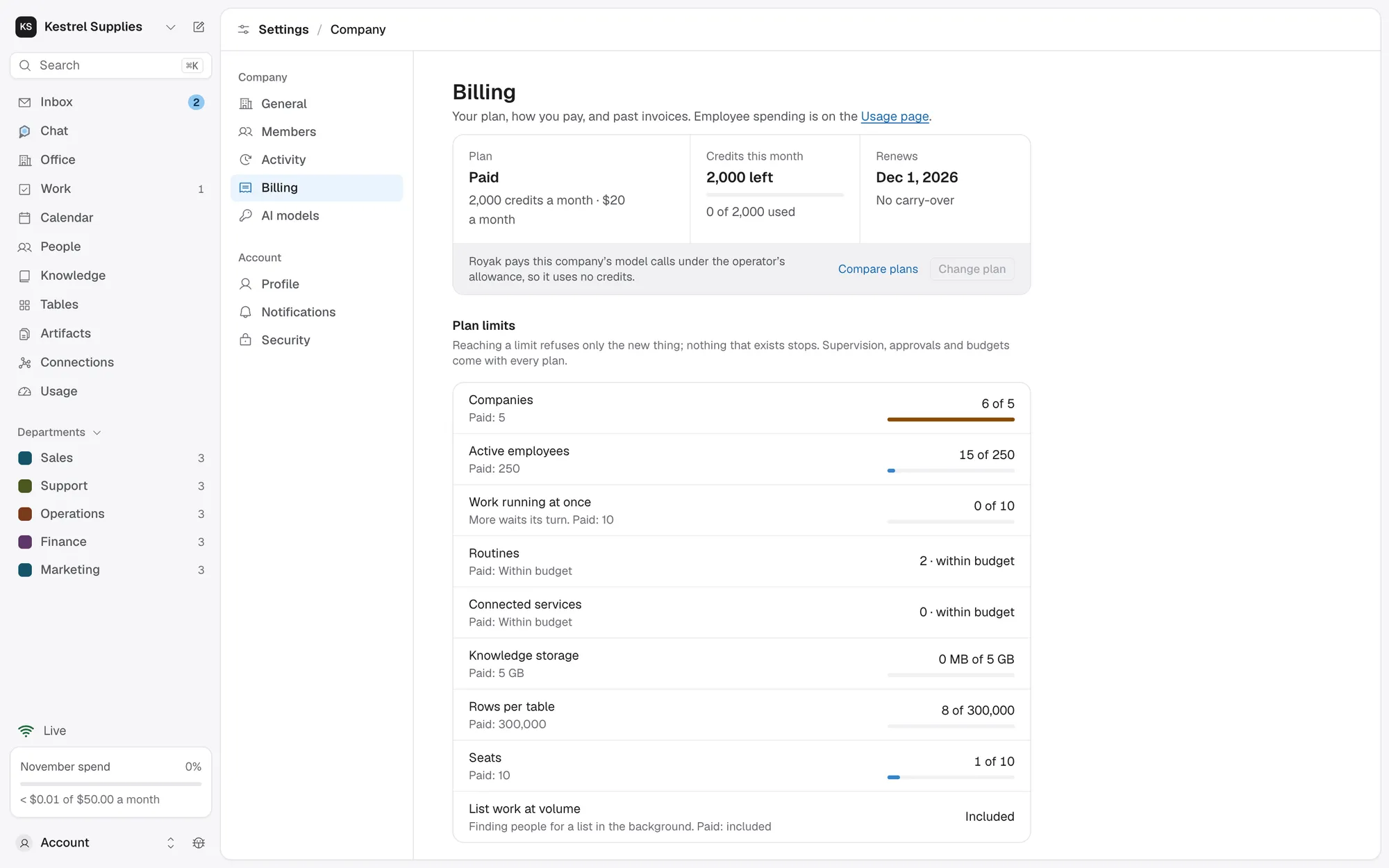
On Free and on Paid, credits pay for Auto, the model Royak picks for each job, and for web browsing and searches. While credits pay, every amount reads in credits.
- Free includes 1,000 credits a month, Paid 2,000
- They renew on the 1st and don’t carry over
- Knowledge indexing and search cost nothing
- Billing shows what’s left and when it renews
Use your own model key on Paid.
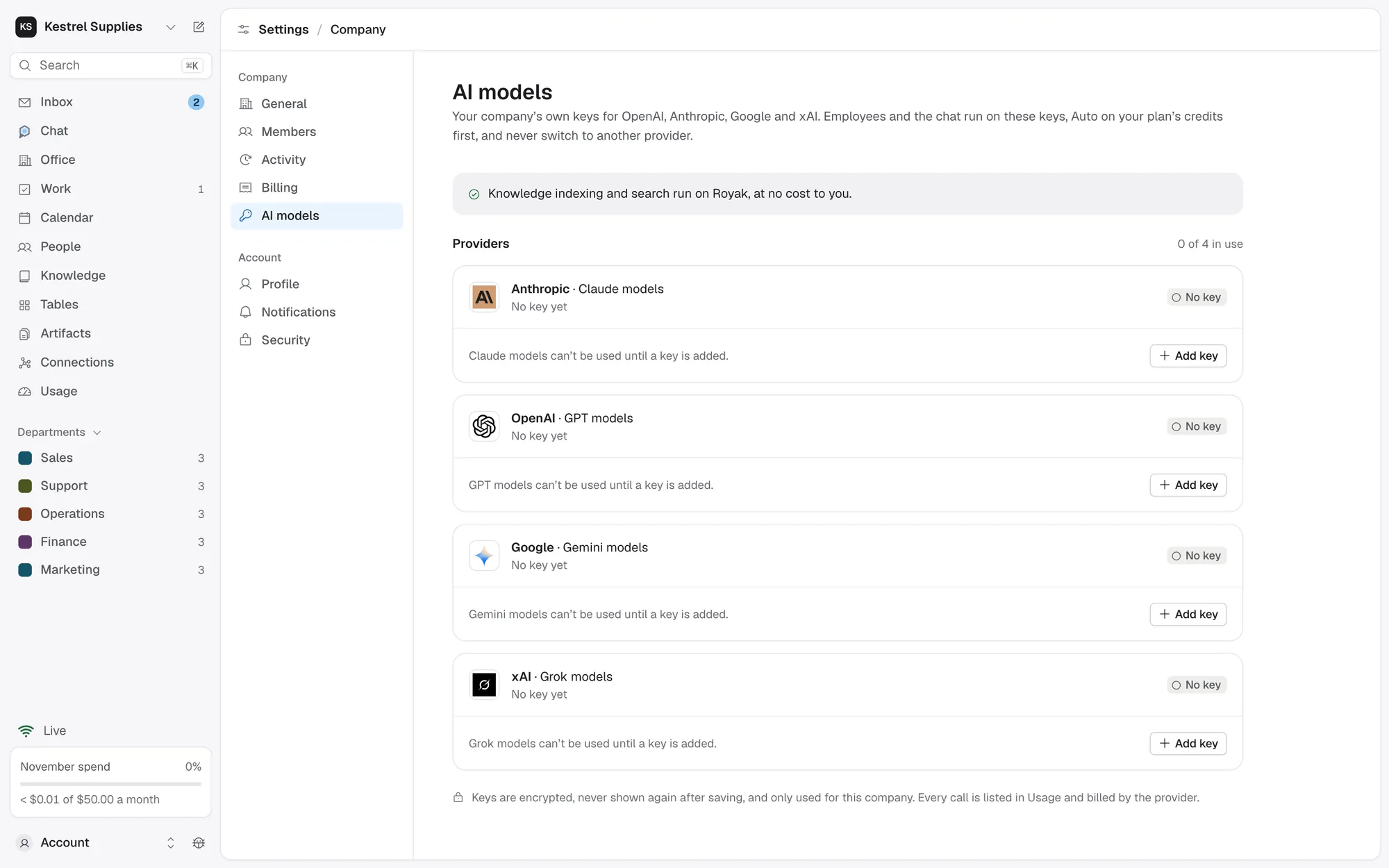
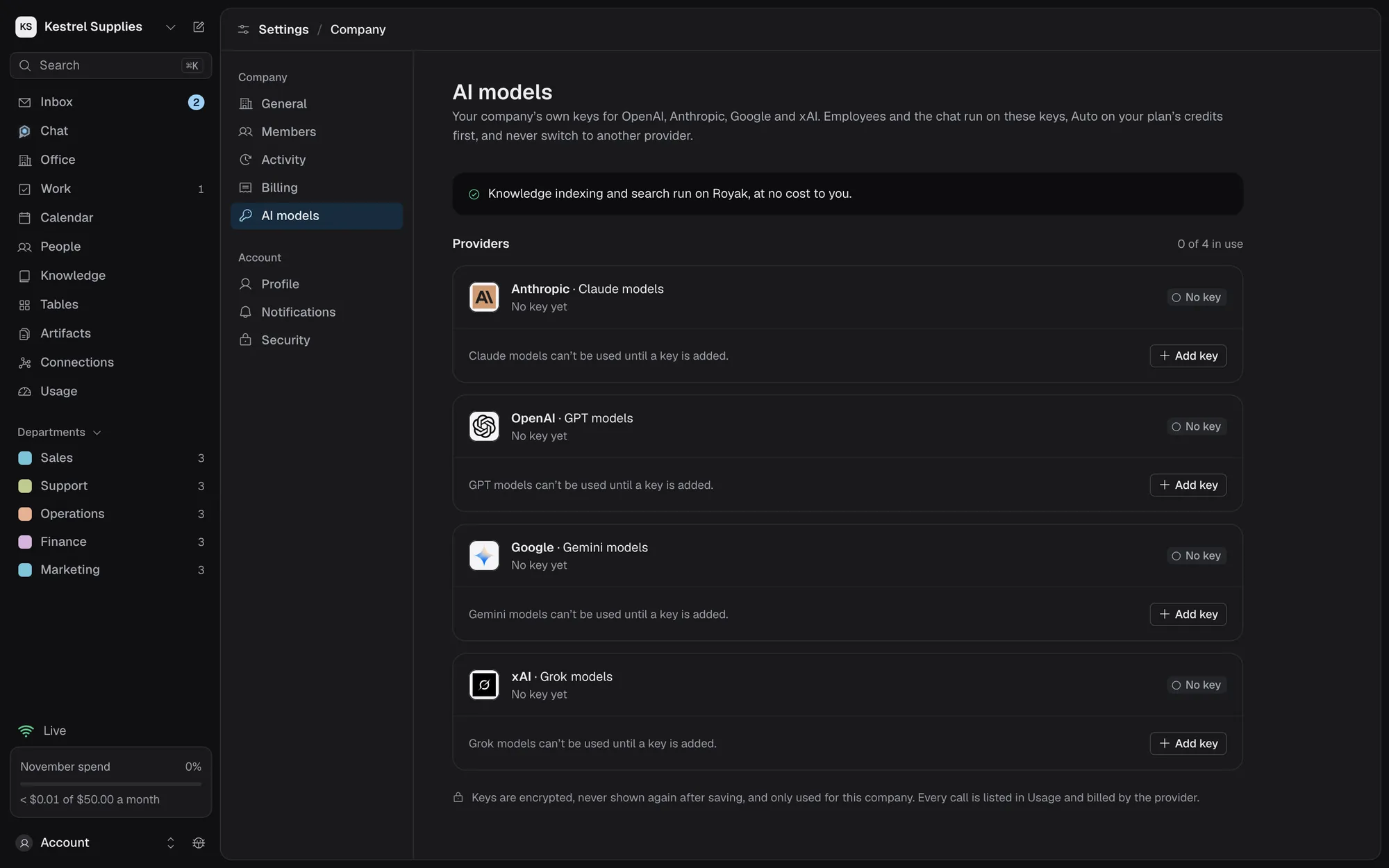
Add your company’s Anthropic, OpenAI, Google or xAI key to choose a specific model and keep working once credits run out. Your provider bills you directly, with no markup from Royak.
- Keys are checked with the provider before they’re saved
- Encrypted, never shown again, and never in a model’s context
- Nothing falls back to another provider’s key
- Calls on your key still count against your limits
Questions about spending.
Can spending ever go over a limit?
No. The most a call can cost is reserved before it starts, and a call that doesn’t fit isn’t made.
Why can’t I set a money limit?
Your AI runs on your plan’s credits, which are the limit. Money limits appear once your own key pays, on Paid.
What happens when credits run out?
Work that needs AI waits until the credits renew on the 1st. On Paid, adding your own key keeps it going.
Who can see Usage and set limits?
The owner and finance admins. Approvers and viewers don’t see Usage.
Is Usage my invoice?
No. Usage is Royak’s record of AI spending. Apps you connect, and your AI provider when your own key pays, bill you directly.
Know what your AI work costs before it runs.
Start on Free with 1,000 credits a month. No card needed.